How to Convert JPG to PDF for Pakistani Documents (2026)
Yes, you can convert a JPG or scanned photo into a PDF for free in under a minute — but for Pakistani government forms, the actual challenge usually isn't the conversion itself, it's getting the file to match what NADRA, FBR, HEC, or PTA expect. A photo that looks perfectly fine on your phone can still get rejected because it's the wrong file size, the wrong dimensions, or saved in a format the portal doesn't recognize.
This guide walks through exactly how to convert a photo to PDF correctly the first time, what different Pakistani institutions actually require, and how to avoid the small formatting mistakes that cause an otherwise complete application to bounce back.
Why "Just Convert It to PDF" Isn't Always That Simple
Most people assume converting an image to PDF is a one-click job — and technically, it is. The complication comes from the fact that Pakistani official portals don't all want the same thing.
NADRA's online forms, FBR's IRIS portal, HEC's scholarship applications, and various university admission systems each set their own rules for file size, resolution, and sometimes even the exact pixel dimensions of a passport-size photo. Submit a 12MB PDF to a portal capped at 2MB, and it simply won't upload — no error message explaining why, just a stuck progress bar or a silent rejection.
That's the real problem this guide solves: not "how do I make a PDF," but "how do I make a PDF that this specific institution will actually accept."
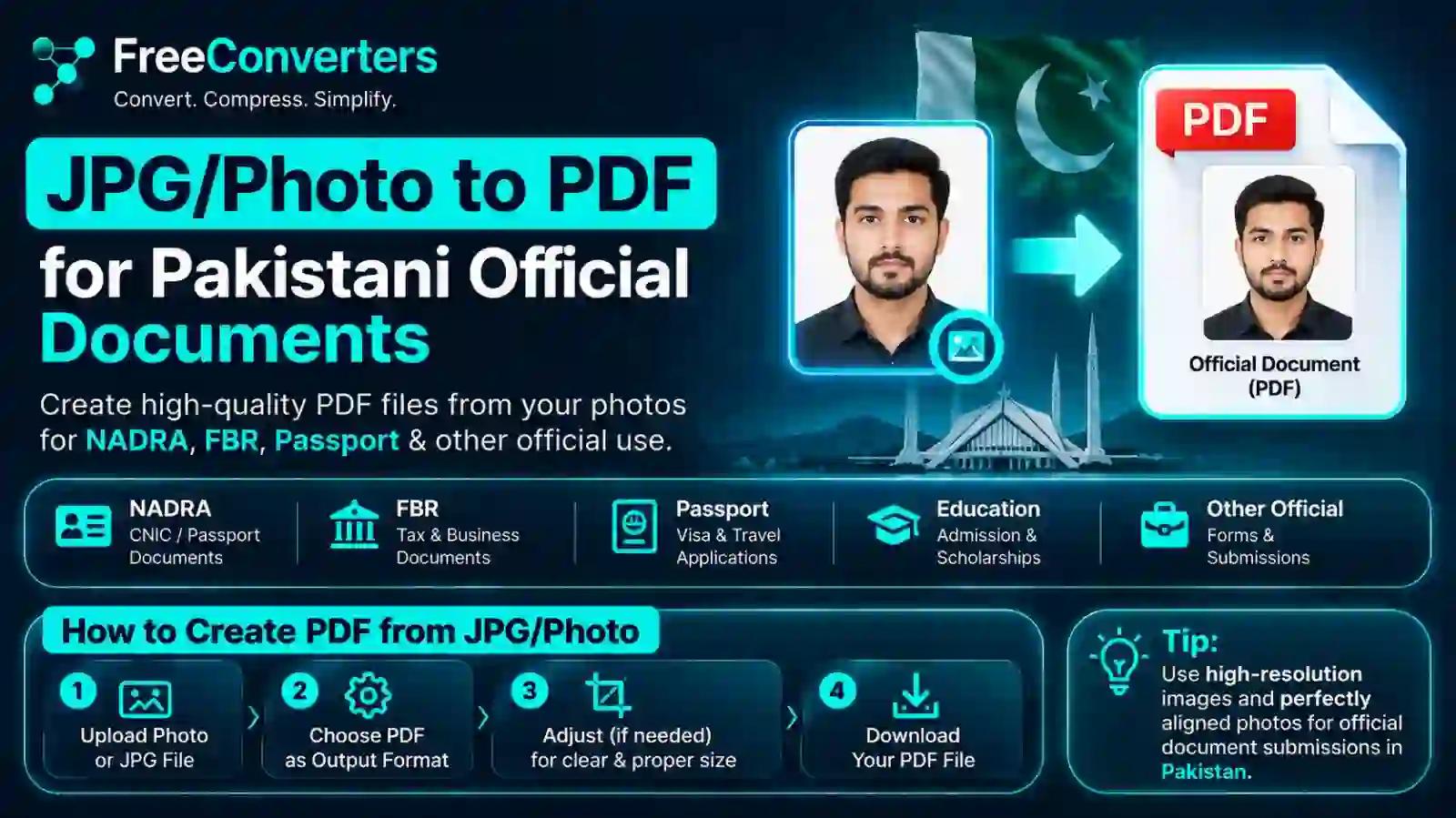
How to Convert a JPG or Photo to PDF: Step-by-Step
The process is the same whether you're converting a scanned CNIC, a passport-size photo, or a photographed utility bill. Here's the straightforward version:
- Take or scan the photo. Use good lighting and hold your phone camera steady and parallel to the document — angled shots distort text and can get flagged as unclear by reviewers.
- Crop unnecessary background. Most phone camera apps and free tools let you crop before converting, so the final PDF shows only the document, not your desk or the edge of a table.
- Upload the image to a JPG to PDF converter. Our JPG to PDF tool handles this directly in your browser — no installation, no signup, and the file never needs to leave your device permanently.
- Check the preview before downloading. Make sure the orientation is correct and nothing is cut off at the edges.
- Download and rename the file clearly — something like CNIC-Front-AhmedKhan.pdf rather than IMG_4021.pdf, since some portals sort or review documents by filename.
- Check the file size against the portal's limit before uploading it, and compress if needed (more on that below).
That's it for a single image. If you're combining several pages — say, the front and back of a CNIC, or multiple pages of a degree — the process changes slightly, which we'll cover in a moment.
File Size and Format Rules by Institution
This is where most rejections actually happen, and it's the part generic "how to convert jpg to pdf" articles usually skip. Different Pakistani institutions enforce different limits, and they change these limits periodically without much public notice. Here's what's generally expected, though you should always confirm the current limit on the portal itself before submitting anything important.
NADRA (CNIC and Family Registration)
NADRA's online services, including the Pak-Identity portal used for CNIC applications and modifications, typically expect scanned documents in PDF or JPG format, kept under a few megabytes per file. Passport-size photographs submitted for CNIC purposes follow strict specifications — plain white or light background, no glasses glare, and a recent photo taken within the last few months. If you're specifically preparing a CNIC-ready photo, our detailed CNIC-size photo converter guide walks through the exact dimensions NADRA expects.
FBR (IRIS Portal for NTN and Tax Filing)
FBR's IRIS portal requires supporting documents — CNIC copies, business registration proof, utility bills — to be uploaded as PDF files, generally kept small (often under 1–2MB per document) to avoid upload timeouts. Multi-page documents like partnership deeds should be combined into a single PDF rather than uploaded as separate image files, since IRIS handles one attachment per field far more reliably than several.
HEC (Higher Education Commission)
HEC's scholarship and equivalence application systems typically request scanned transcripts, degrees, and photographs as PDF attachments with specific size caps that vary by scheme — some cap individual files at 500KB to 1MB, which is tight enough that a raw phone photo almost always needs compression first.
PTA (Device Registration, DIRBS)
PTA's DIRBS system, used for mobile device registration, asks for CNIC and purchase receipt uploads, generally accepting JPG or PDF under a modest size limit. If you're registering a phone you brought into Pakistan, our guide on PTA document uploads for CNIC and passport covers the specific format expectations for that process.
University Admission Portals
Most Pakistani university admission systems — public and private — ask for a photograph, CNIC/B-Form copy, and academic transcripts as separate PDF or JPG uploads, each usually capped somewhere between 200KB and 2MB. Because these limits are set per-university rather than nationally standardized, it's worth checking the specific prospectus or admission portal instructions rather than assuming one size fits all.
Here's a quick reference table summarizing typical (not universal) expectations:
Institution Common Format Typical Size Limit Notes NADRA PDF / JPG 1–2MB per file Plain background photo required FBR (IRIS) PDF 1–2MB per document Combine multi-page docs into one PDF HEC PDF 500KB–1MB per file Often the strictest limit PTA (DIRBS) JPG / PDF Under 2MB CNIC + receipt commonly required Universities PDF / JPG 200KB–2MB Varies significantly by institution
Because these numbers shift year to year, always treat this table as a general guide rather than gospel — the safest habit is compressing your file to well under the stated limit rather than right at the edge of it.
Free Online Tools vs. Offline Desktop Software
People often ask whether a free browser-based converter is "good enough" for something as important as an official document, or whether they should install desktop software instead. Both have a place, but they're not equally convenient for this specific use case.
Free online converters work well when:
- You need a quick, one-off conversion and don't want to install anything.
- You're on a shared or work computer where installing software isn't practical.
- You're converting from a phone browser, since most online tools are mobile-friendly.
- You want the tool to also handle compression, resizing, or format conversion in the same step — our Image Compressor and PDF Compressor are built for exactly this workflow, so you rarely need more than one tool for a full application.
Desktop software makes more sense when:
- You're processing dozens of documents in bulk on a regular basis (an HR department, for example).
- You need offline access without any internet connection at all.
- You want advanced editing features beyond simple conversion, like redlining or digital signatures.
For the average person filling out a NADRA form, an FBR registration, or a university application once or twice a year, a free online tool is genuinely the more practical choice — it's faster to access, requires no updates, and doesn't leave software cluttering your device for a task you'll do rarely. If privacy is your main hesitation, our guide to online tool safety explains what actually happens to files during conversion and what to look for in a trustworthy converter.
How to Compress a PDF Without Losing Quality
This is the step most people skip, and it's the one that causes the most rejections. A photo taken on a modern phone camera can easily be 4–8MB — far above what most Pakistani portals accept.
The good news is that compression doesn't have to mean visible quality loss, especially for document scans where you need text to stay sharp and legible rather than photo-realistic detail:
- Reduce resolution intelligently. Most official documents don't need print-quality resolution — 150–200 DPI is more than enough for on-screen review, and dropping from a raw 300+ DPI phone photo to that range cuts file size dramatically with no visible loss for text documents.
- Use a compressor built for documents, not photos. General image compressors sometimes over-blur text. A PDF-specific compressor, like our PDF Compressor, is tuned to preserve text sharpness while still shrinking the file.
- Convert to grayscale if color isn't required. A colored utility bill scan can shrink significantly once converted to grayscale, and most portals don't actually require color for supporting documents (photographs are the obvious exception).
- Avoid re-compressing an already-compressed file repeatedly. Each compression pass introduces more quality loss, so start from your original high-resolution photo each time rather than compressing a compressed file.
For a deeper walkthrough with before-and-after size comparisons, our article on reducing PDF file size for free covers the technical side in more detail than we have room for here.
Combining Multiple Photos into One PDF
Plenty of official submissions need more than one page — the front and back of a CNIC, several pages of a degree, or multiple supporting documents for a visa file. Uploading five separate JPGs when a portal only allows one attachment is a common, avoidable mistake.
The fix is combining everything into a single multi-page PDF before you upload:
- Photograph or scan each page separately, keeping consistent lighting and orientation across all of them.
- Upload all the images together into a merge tool rather than converting them one at a time — our dedicated guide on merging multiple images into one PDF covers the exact workflow.
- Arrange the pages in the correct order before finalizing — most tools let you drag and reorder thumbnails, which matters if you're combining a CNIC front, CNIC back, and a utility bill in one file.
- Check the total combined file size, since merging several images naturally increases size, and compress the merged PDF if it's now over the portal's limit.
This single-file approach isn't just about following the rules — it genuinely makes life easier for whoever reviews your application, since they're not hunting through five separate attachments to find the CNIC back page.
Passport-Size Photo Specifications for Pakistani Documents
Photograph specifications trip up more applicants than almost any other requirement, mostly because "passport size" isn't actually one universal standard — it varies slightly by document type.
General expectations across most Pakistani official uses:
- Background: Plain white or light-colored, with no shadows or patterns.
- Dimensions: Commonly 35mm x 45mm for CNIC and passport applications, though some university and job application portals specify different pixel dimensions rather than physical measurements.
- Recency: Taken within the last 3–6 months, since older photos are sometimes flagged during in-person verification.
- Expression and framing: Neutral expression, both ears visible where required, no sunglasses, and headwear only permitted for religious reasons with the face still clearly visible.
- File format: JPG is standard for the raw photo; convert to PDF only when the specific portal explicitly asks for a PDF rather than an image file.
If you don't have access to a professional photo studio, our guide on making a passport-size photo online for free shows how to crop and format a phone photo to meet these specifications without leaving home.
Is It Safe to Use Free Online JPG to PDF Converters?
This is a fair question when the documents in play include your CNIC number, photograph, and personal address — and the honest answer depends entirely on which tool you're using, not on whether online tools as a category are inherently risky.
What to actually check before trusting a converter with sensitive documents:
- Does the tool process files in-browser or upload them to a remote server? Browser-based processing (where the conversion happens locally on your device) is generally safer for sensitive documents, since your file never technically leaves your computer.
- Is there a stated retention or deletion policy? Trustworthy tools explicitly state that uploaded files are deleted automatically within a short window, rather than staying on a server indefinitely.
- Does the site use HTTPS? This is a baseline requirement — if a converter's URL doesn't start with https://, don't upload anything sensitive to it, full stop.
- Does the tool require an account, email, or unnecessary personal details just to convert a file? Legitimate converters generally don't need your email address to convert a JPG to PDF; if one insists, treat that as a red flag.
Our own privacy approach is detailed in how online converters actually handle your data, which is worth a read regardless of which specific tool you end up using — the questions it raises apply to any converter, not just ours.
Common Mistakes That Get Pakistani Document Submissions Rejected
After the size and format issues covered above, these are the next most frequent reasons applications bounce back:
- Blurry or angled photos of physical documents. A CNIC photographed at an angle under poor lighting often gets rejected for "unclear document," even if all the information is technically visible if you zoom in.
- Mismatched file names and field labels. Some portals cross-check the uploaded filename against the field description; uploading Untitled.pdf where "CNIC Front" was expected occasionally causes manual review delays.
- Uploading images instead of the requested PDF (or vice versa). Read the exact requested format carefully — some fields specifically want JPG, others specifically want PDF, and using the wrong one isn't always caught automatically.
- Forgetting to check orientation. A sideways or upside-down scan is a surprisingly common and entirely avoidable rejection reason.
- Submitting an outdated photograph. Especially for CNIC renewals, using an old photo that no longer resembles the applicant can trigger manual verification delays.
- Ignoring the portal's stated resolution requirements. Some systems (HEC in particular) reject files below a minimum resolution even if they're small enough in file size, because the image becomes illegible when printed for physical review.
JPG to PDF vs. Other Formats: When PDF Is Actually Required
Not every official submission actually needs a PDF — sometimes JPG is explicitly preferred, and converting unnecessarily just adds a step. As a general rule:
- PDF is typically required for multi-page documents, official forms, and anything the institution plans to print or archive, since PDF preserves formatting consistently across devices.
- JPG is typically preferred for standalone photographs — passport photos, ID card images — where the portal has a dedicated image upload field separate from document attachments.
- When in doubt, PDF is the safer default for anything text-based, since it's harder to accidentally alter and easier for reviewers to open consistently regardless of their device.
If you're unsure which one a specific form wants, check the upload field's helper text carefully — Pakistani government portals usually specify the accepted format directly next to the upload button, even if the guidance document itself doesn't mention it clearly.
Frequently Asked Questions
How do I convert a JPG photo to PDF for free? Upload your image to a free browser-based converter like our JPG to PDF tool, preview the result to confirm orientation and cropping, then download the finished PDF — the entire process typically takes under a minute with no software installation required.
What is the maximum file size for NADRA document upload? NADRA's online portals generally expect scanned documents and photos to stay within a few megabytes per file, though the exact limit can vary by service and changes periodically, so it's best to check the current limit on the specific form before uploading.
Can I combine multiple JPG images into one PDF? Yes — most JPG to PDF tools support merging several images into a single multi-page PDF in one step, which is the recommended approach for documents like a CNIC front and back or multi-page academic transcripts.
Is it safe to use free online JPG to PDF converters for sensitive documents like a CNIC? It can be, provided the tool uses HTTPS, processes files without unnecessary account creation, and clearly states that uploaded files aren't retained on a server — checking these details takes a minute and meaningfully reduces risk.
What documents need to be in PDF format for FBR registration? FBR's IRIS portal generally requires supporting documents such as CNIC copies, business registration proof, and utility bills to be uploaded as PDF files, ideally combined into a single document per category rather than submitted as multiple separate images.
What is the ideal photo size for a CNIC or passport application? Pakistani CNIC and passport photographs typically follow a 35mm x 45mm passport-size standard with a plain light background, neutral expression, and a photo taken within the last few months — exact pixel requirements can vary slightly by the specific application system.
Do I need internet access to convert JPG to PDF? Not necessarily — desktop software can convert files offline, but for occasional use, a free online converter is generally faster and doesn't require installing anything, provided you have a brief internet connection to access the tool itself.
The Bottom Line
Converting a JPG or photo to PDF for Pakistani official documents isn't complicated technically — it's a two-minute task on any decent converter. The part that actually determines whether your application sails through or bounces back is matching the file to what the specific institution expects: the right format, a size comfortably under their limit, correct orientation, and a clear, recent photograph where one's required.
Build a simple habit around this — photograph in good light, crop tightly, compress before uploading, and double-check the portal's stated limit rather than guessing — and you'll avoid the vast majority of rejection notices people run into with NADRA, FBR, HEC, PTA, and university portals alike.
If you're preparing documents right now, start with our JPG to PDF converter for the initial conversion, then run the result through our PDF Compressor if it's sitting near the size limit. Both are free, browser-based, and built specifically for exactly this kind of one-off document task — no account, no software install, no unnecessary steps between you and a finished submission.