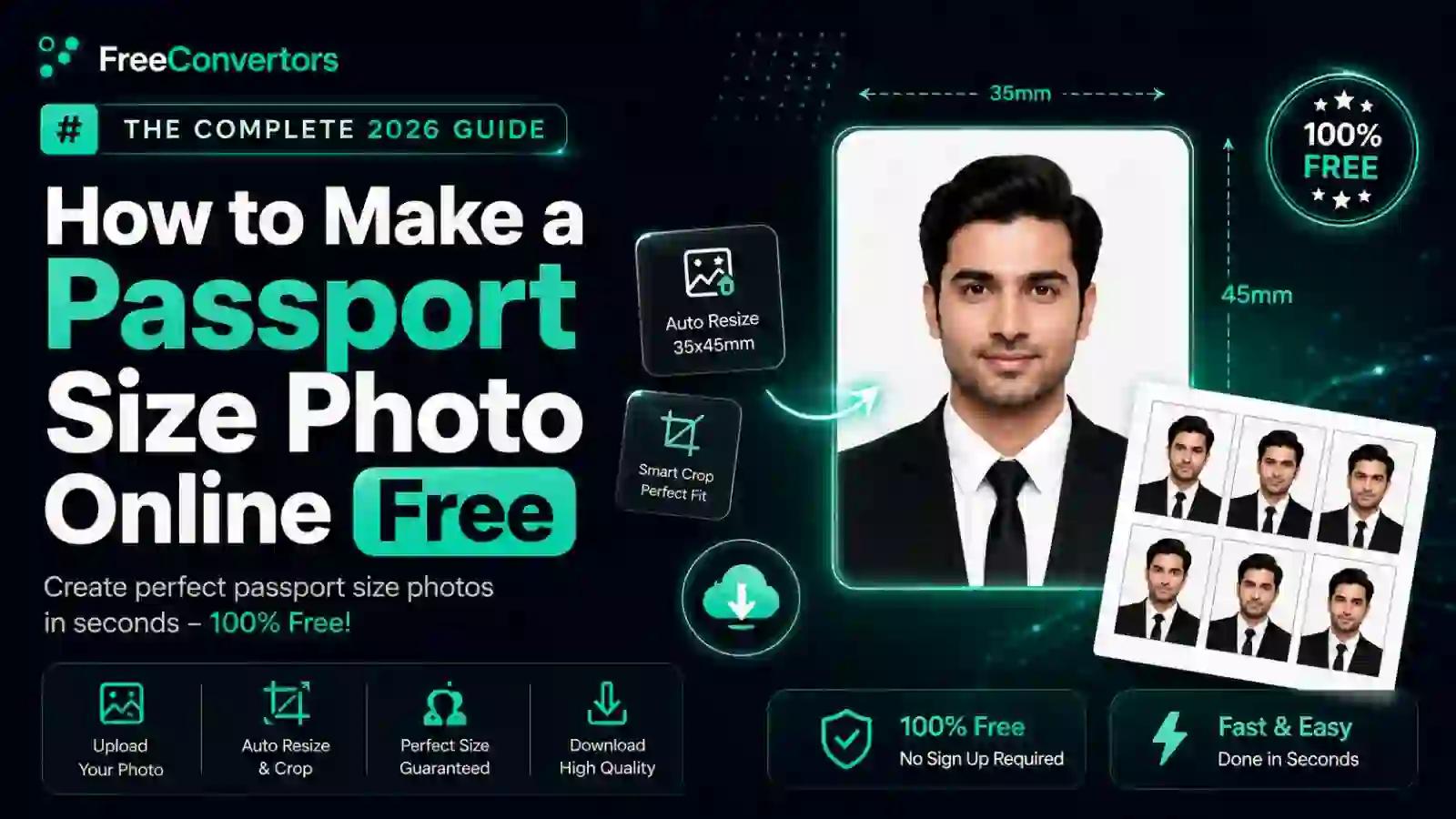
How to Make a Passport Size Photo Online Free: The Complete 2026 Guide
If you've ever tried to apply for a passport, visa, or ID card, you already know the drill — you show up excited, then get told your photo has the wrong background, wrong size, or "too much shadow on the left side." It's frustrating, it wastes time, and in Pakistan especially, a rejected photo can delay an already slow-moving passport or visa process by weeks.
The good news? You don't need a studio visit anymore. With the right free online tool, you can make a fully compliant passport size photo from your phone or laptop in under five minutes — no software downloads, no watermarks, and no waiting in line. This guide walks you through exactly how to do that, what specifications actually matter, and the mistakes that get photos rejected most often.
What Is a Passport Size Photo (And Why It's Not Just Any Photo)
A passport size photo isn't simply a headshot cropped to a small size. It's a standardized identification photo that follows strict biometric photo requirements set by government authorities and, internationally, by the ICAO photo standardsused for machine-readable and e-passports.
These standards exist so that facial recognition systems, border control scanners, and manual verification officers can all read the photo consistently — regardless of which country issued it. That's why a passport photo has rules around head position, background color, lighting, expression, and even how much of the frame your face should occupy.
Here's how passport size photo dimensions typically compare across a few common destinations:
Country | Standard Size | Background | Notes
Pakistan | 1.4 x 1.4 inches (35 x 35mm) | White | Also used for CNIC with blue background variant
United States | 2 x 2 inches (51 x 51mm) | White | Head must be 1–1.4 inches from chin to crown
United Kingdom | 35 x 45mm | Light grey/cream | No shadows on face or background
Canada | 50 x 70mm | White | Specific frame measurements for face height
China | 33 x 48mm | White or light blue | Varies for e-visa applications
Umrah/Saudi visa | 2 x 2 inches | White | Similar to US passport photo size
If you're applying within Pakistan, understanding the exact passport size photo dimensions in cm and pixels matters more than you'd think — most rejections at NADRA and passport offices come down to sizing errors, not appearance issues.
Why Getting Your Passport Photo Right Matters
A rejected photo isn't just a minor inconvenience. Depending on where you're applying, it can mean:
- Losing your place in a booking slot at a passport office
- Paying again for reprints at a studio
- Delaying visa submissions with fixed deadlines (Umrah, work visas, student visas)
- Having an application returned weeks later with no explanation beyond "photo non-compliant"
This is especially painful for people applying under time pressure — students meeting university deadlines, workers finalizing a Gulf job offer, or families booking Umrah travel. Getting the photo compliance check right the first time saves real time and money.
Passport Photo Requirements You Must Know Before You Start
Before you touch any tool, it helps to understand what "compliant" actually means. Most passport and ID photo rejections trace back to one of these five things:
1. Background color. Passport photos almost universally require a plain white background, though some countries (and Pakistan's CNIC specifically) use blue background passport photo formats instead. Shadows, texture, or patterned walls behind you are an automatic rejection risk.
2. Head position and framing. Your face should be centered, facing the camera directly, with a neutral expression and both eyes open. No head tilts, no exaggerated smiles.
3. Resolution and DPI. A blurry or low-resolution photo will be rejected even if the size is technically correct. Passport photo resolution should typically be at least 300 DPI for printing purposes.
4. File size in KB. Digital applications (like online visa portals or e-passport systems) often cap file size — commonly asking for something between 20KB and 1MB depending on the portal. This is one of the most searched issues people run into: "photo resizer in KB" and "resize photo to 25 KB" are extremely common queries because government portals rarely explain this clearly.
5. No accessories. Glasses (especially with glare), hats, headphones, or heavy makeup can all trigger a manual review or outright rejection. If you wear glasses daily, most authorities now recommend removing them for the photo entirely to avoid reflection issues.
Studio vs Online Tool: Which Is Better for a Passport Photo in 2026?
This is the real decision most people are weighing, so let's break it down honestly.
Factor | Photo Studio | Free Online Tool
Cost | PKR 200–500 typically | Free
Time | 15–30 minutes + travel | 2–5 minutes
Availability | Business hours only | 24/7, from home
Background accuracy | Usually correct | Depends on tool quality
Digital copy for online forms | Sometimes not provided | Instant download
Multiple retakes | Costs extra | Unlimited, free
A studio still makes sense if you want a professionally lit shot with zero effort on your part. But for most people — especially students, freelancers, and anyone applying for a digital visa or online CNIC renewal — a free passport size photo maker does the job just as well, faster, and without leaving your house.
How to Make a Passport Size Photo Online Free (Step-by-Step)
Here's the actual process, broken into steps that take most people under five minutes total.
Step 1: Take a Clean, Well-Lit Photo First
Before any tool can help you, the raw photo needs to be usable. Stand facing a window or bright light source (not direct sunlight), keep your expression neutral, and have someone else take the photo rather than using a selfie angle — selfies distort facial proportions slightly, which can cause issues with strict biometric checks.
Step 2: Upload Your Photo to an Online Photo Resizer
Once you have a decent base photo, upload it to a free online photo resizer that supports passport photo sizing. A good tool will let you select your destination country (Pakistan, US, UK, etc.) so the correct dimensions are applied automatically, instead of you guessing pixel measurements.
If your photo is in a format like HEIC (common on iPhones) or WebP, you'll need to convert it first. Free Convertors'HEIC to JPG converter handles this instantly before you move to resizing.
Step 3: Auto-Crop to Passport Dimensions
The tool should automatically detect your face and crop to the correct passport size photo ratio — centering your head and adjusting the frame so your face occupies the required percentage of the image, per official guidelines.
Step 4: Change or Clean Up the Background
If your original background isn't plain white or blue, use the tool's background changer to replace it. This step alone fixes the majority of rejected photos, since uneven walls, furniture, or shadows in the background are one of the top reasons applications bounce back.
Step 5: Check File Size and Format
Depending on where you're submitting the photo, you may need to resize the photo in KB rather than just pixels. Many government portals cap uploads at a specific file size — if you're unsure, theImage Compressoron Free Convertors lets you shrink the file without losing photo quality, so it fits under strict upload limits like 25KB, 50KB, or 200KB depending on the requirement.
Step 6: Download and Use It
Once cropped, background-cleaned, and sized correctly, download the photo. From here you can:
- Upload it directly to an online visa or passport application portal
- Print it at home or at a local print shop, formatted for standard photo paper
- Combine multiple copies into a single sheet (common for Pakistani passport applications that require several printed copies)
If you're submitting documents alongside the photo — like a CNIC copy or application form — you can also combine everything into one file using the JPG to PDF tool, which many application portals now require instead of separate image uploads.
Common Mistakes People Make When Making Passport Photos at Home
Even with a good tool, a few habits consistently cause rejections. Watch out for these:
- Using an old photo. Most authorities require a photo taken within the last 6 months.
- Wearing glasses with visible glare. If you must wear them, tilt your head slightly or use non-reflective lenses.
- Smiling with teeth showing. Most passport standards require a neutral or closed-mouth expression.
- Shadows behind the head. Even a plain wall can cast a shadow if lit from one side only.
- Cropping too tight or too loose. This is why using a dedicated passport photo resizer beats manually cropping in a general photo editor — the proportions are pre-calibrated to official specs.
- Ignoring resolution. A photo that looks fine on your phone screen can appear pixelated once printed at actual passport size.
Free vs Paid Passport Photo Tools — What's the Real Difference?
Paid passport photo software (desktop applications with license keys) used to be the standard before browser-based tools improved. Today, the gap has narrowed significantly. Free online tools now offer:
- Automatic background removal and replacement
- Country-specific size presets
- Instant compliance checks against common rejection triggers
- No installation, no crack files, no security risk from downloading unverified software
The main advantage paid desktop software still holds is offline access and batch processing for studios handling dozens of clients daily. For an individual applicant, a free browser tool is almost always the more practical option. If you're weighing this decision for other image tasks too, our breakdown onfree vs paid image compression tools covers the same trade-off in more depth.
Why Choose Free Convertors for Your Passport Photo Needs
Free Convertors was built around a simple idea: everyday document and photo tasks shouldn't require software installs, sign-ups, or hidden fees. For passport photos specifically, that means:
- No watermark on your final downloaded photo
- No account required — upload, edit, download, done
- Multiple format support, so whether your original photo is PNG, JPG, HEIC, or WebP, it works
- Built-in compression, so you can hit exact KB requirements for online portals without guessing
- Privacy-first processing — your photo isn't stored or shared, a concern covered in detail in our online tools safety guide
If you're new to using browser-based conversion tools generally, ourFree Convertors beginner's guidewalks through the basics of how these tools work and why they've become the default choice over desktop software for most people in 2026.
Real-World Examples: How People Use Online Passport Photo Makers
The last-minute traveler. A university student booking an Umrah trip with a group discovers two days before the deadline that their old passport photo doesn't meet the current visa portal's file size limit. Instead of booking a studio slot, they take a photo at home, resize it online in under three minutes, and upload it directly — no missed deadline.
The freelancer renewing documents. A freelance graphic designer working with overseas clients needs an updated CNIC and passport photo simultaneously. Since the two documents require different backgrounds (blue vs white), they use the same base photo and generate both versions using an online background changer instead of paying for two separate studio sessions.
The family application. A parent applying for passports for three children finds that studio visits with young kids are chaotic and expensive. Taking clear photos at home and processing them online — with unlimited retakes until each child's photo is compliant — turns a stressful outing into a five-minute task at the kitchen table.
Passport Photo for Digital Applications (Online Visa, E-Passport, Umrah, etc.)
More governments are shifting toward fully digital application portals, which changes what "correct" even means for a passport photo. Instead of just printing a physical copy, you often need:
- A digital file under a specific KB size
- A specific aspect ratio (not always identical to the printed standard)
- A particular file format — usually JPG, occasionally PNG
This is where a lot of people get tripped up, because a photo that looks perfect on paper can still fail an online upload if the file size is too large. If your source photo came from a phone camera in HEIC or a downloaded image in WebP or PNG, converting it correctly matters just as much as cropping it. Tools like PNG to JPG and WebP to JPG handle this conversion step cleanly before you move into resizing and compression.
Future of Passport Photos — AI and What's Changing
Passport and ID photo standards are gradually shifting toward AI-assisted verification. Many countries are already using automated systems to flag non-compliant photos before a human even reviews the application — checking for shadows, incorrect head tilt, or background inconsistencies automatically.
This actually works in your favor as an applicant: the same AI-driven background removal and face-detection technology used by border authorities is now built into free online passport photo makers. That means the tool you use to create your photo is increasingly built on the same underlying technology used to approve or reject it — closing the gap between "good enough at home" and "officially compliant."
Frequently Asked Questions
What size is a passport photo in inches, cm, and pixels? Standard passport photo size varies by country, but Pakistan typically requires 1.4 x 1.4 inches (35 x 35mm), which converts to roughly 413 x 413 pixels at 300 DPI. The US requires 2 x 2 inches. Always confirm with your specific country's passport authority before submitting.
Can I take my own passport photo at home? Yes. As long as the photo meets background, lighting, framing, and resolution requirements, most passport authorities accept self-taken photos processed through a compliant online tool.
What background color is required for a passport photo? Most countries require a plain white background. Some ID documents, like Pakistan's CNIC, use a blue background instead — always check which document you're applying for before choosing a background color.
Is it legal to use a self-made passport photo? Yes, self-made photos are legal as long as they meet the official size, background, and quality specifications set by the issuing authority. The photo's origin doesn't matter — compliance does.
How do I check if my passport photo meets requirements? Use a tool that includes an automatic compliance check, which flags issues like incorrect background color, poor resolution, or improper cropping before you submit. This catches most rejection triggers before they cost you an application delay.
Do glasses affect passport photo approval? Yes, in many cases. Glare, tinted lenses, or thick frames covering the eyes can lead to rejection. Where allowed, removing glasses for the photo is the safest option.
Final Thoughts: Get It Right the First Time
A passport size photo seems like a small detail until it delays an application you actually care about — a visa deadline, a job offer, a family trip. The difference between a compliant photo and a rejected one usually comes down to background accuracy, correct sizing, and file size, not how good you look on camera.
The fastest, most reliable way to get all three right without a studio visit is a free online passport photo maker that handles cropping, background replacement, and compression together in one place. Try the Image Compressor and Image Convertertools on Free Convertors to prepare your next passport, visa, or CNIC photo in minutes — no downloads, no watermark, no waiting in line.