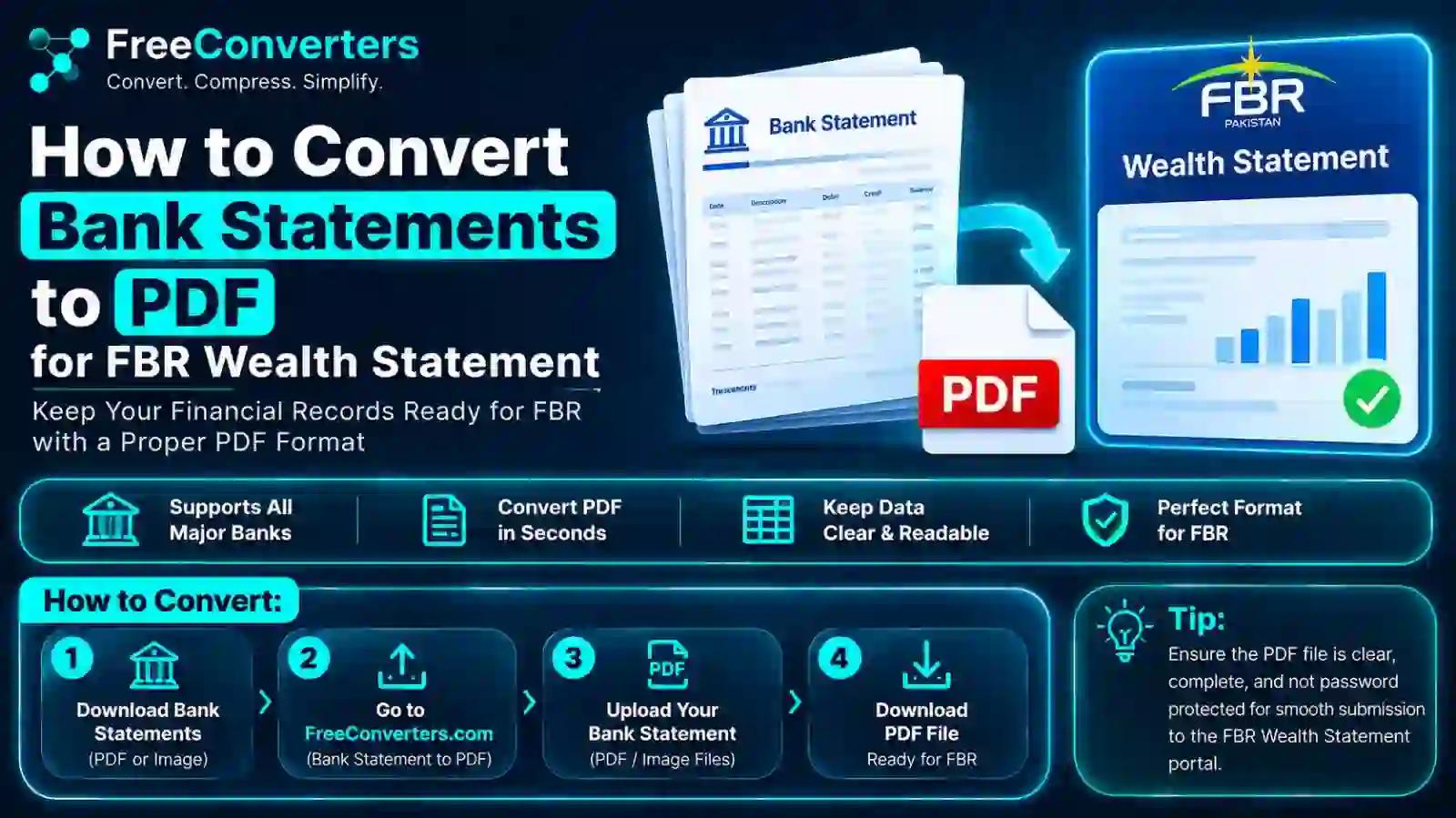
How to Convert Bank Statement to PDF for FBR Wealth Statement
If you're filing your income tax return in Pakistan, you already know the drill — FBR doesn't just want your numbers, it wants proof. And one of the most commonly requested pieces of proof is your bank statement, submitted as a clean, readable PDF alongside your wealth statement. Sounds simple enough, until you're staring at a mobile banking app that only exports statements as images, or a downloaded file that's 40MB and won't upload to the IRIS portal.
This guide walks you through exactly how to convert your bank statement to PDF for your FBR wealth statement, covers bank-specific steps for HBL, UBL, Meezan Bank, and Bank Alfalah, and explains what to do when your file is too large, scanned, or scattered across several months. By the end, you'll have a wealth statement filing ready to go, without the last-minute panic.
What Is a Wealth Statement and Why Does FBR Ask for Bank Statements?
A wealth statement (filed under Section 116 of the Income Tax Ordinance) is essentially a snapshot of everything you own and owe as of a specific date — your assets, liabilities, and the difference between what you had last year and what you have now. It's how FBR checks that your declared income actually matches your lifestyle and asset growth.
Your bank statement plays a supporting role here. It's the evidence that backs up the numbers you've typed into your wealth reconciliation statement — deposits, withdrawals, profit earned, and closing balances. Without it, your declared cash and bank balances are just claims with nothing behind them.
This matters more than people realize. FBR cross-checks wealth statements against the Active Taxpayer List (ATL) and prior year filings, and any unexplained jump in assets without matching income or bank activity is a common reason for a notice. A properly attached bank statement, in the right format, closes that gap before it becomes a problem.
Why the Bank Statement Must Be in PDF Format
FBR's IRIS portal is built to accept document uploads as PDF files, not images, Word documents, or raw bank app screenshots. There are a few practical reasons PDF has become the standard for wealth statement bank statement submission:
- Consistency — A PDF preserves the layout, transaction table, and bank letterhead exactly as issued, so nothing shifts or gets cropped.
- File size control — PDFs compress far better than images while keeping text and tables legible.
- Professional presentation — A properly formatted document reads as an official statement, not a random screenshot, which matters if a tax officer reviews it manually.
- Portal compatibility — IRIS document upload fields are typically restricted to PDF (and sometimes JPG), so converting is often not optional.
If you've only ever downloaded your account activity as an image or a CSV, converting bank e-statement to PDF is the first real step before you can even think about uploading anything.
How to Convert Bank Statement to PDF for FBR Wealth Statement: Step-by-Step
Here's the process broken down by source, because "how you get your statement" changes "how you convert it."
1. Downloading Directly as PDF (Best Case Scenario)
Most Pakistani banks now let you generate an e-statement directly from internet banking or the mobile app, and many already offer a PDF download option.
- Log in to your bank's internet banking portal or mobile app.
- Navigate to "Statements" or "Account Activity."
- Select your date range (usually the full financial year, July to June, or the last 12 months).
- Choose PDF as the export/download format if available.
- Save the file with a clear name, like HBL-Statement-2025-26.pdf.
If PDF is already an option, you're essentially done — just confirm the file opens correctly and all pages are legible before moving to the upload step.
2. Converting a Scanned or Image-Based Statement
Some banks, especially for older accounts or branch-issued statements, only give you a printed copy or a scanned image (JPG, PNG, or a multi-page photo set). In that case, you'll need an image to PDF converter.
- Scan or photograph each page clearly, in good lighting, with the full page in frame.
- Upload all images to a JPG to PDF tool.
- Arrange the pages in the correct order — this matters, since FBR reviewers read statements chronologically.
- Convert and download the combined PDF.
This is genuinely one of the more overlooked issues people run into: they submit five separate JPGs instead of one ordered PDF, and it either gets rejected or looks unprofessional. Combining everything into a single document solves that instantly.
3. Converting from an Excel or Word Export
A smaller number of users export their statement as a CSV, Excel sheet, or Word file, particularly from corporate or foreign bank accounts. If that's your situation, the simplest fix is a Word to PDF converter — paste your transaction data into a clean Word layout first if needed, then convert.
4. Merging Multiple Months into One PDF
FBR generally wants a full financial year's activity, but some banks only let you download one month at a time. Rather than uploading six separate files (which most IRIS document fields won't even accept), merge them:
- Convert each monthly file to PDF individually if it isn't already.
- Use a PDF merge tool to combine them in date order.
- Double-check the merged file still shows correct page numbering and no duplicate or missing months.
A single, continuous statement is far easier for both you and FBR to review than a folder full of fragments.
5. Compressing the PDF Before Upload
This is the step people skip and then get stuck on. IRIS has a document size limit, and a 12-month statement with bank letterhead graphics on every page can easily balloon past it.
- Run your merged file through a PDF Compressor.
- Choose a compression level that keeps text sharp — you don't need print quality, just readability.
- Re-check the file size against your bank's or IRIS's upload limit before attempting to submit.
If you're also emailing the statement to your tax consultant or accountant, our guide on reducing PDF file size covers a few extra tricks worth knowing, especially for statements with scanned pages.
Bank-Specific Instructions: HBL, UBL, Meezan Bank, Bank Alfalah
Different banks structure their statement downloads a little differently. Here's a quick reference for Pakistan's most commonly used banks.
HBL (Habib Bank Limited): HBL's internet banking and mobile app both allow statement generation by date range, typically exporting directly as a PDF. If you're using an older HBL app version that only offers an image export, run it through the JPG to PDF tool above.
UBL (United Bank Limited): UBL Digital allows statement downloads under the "Account Statement" section, generally in PDF by default. If you've received your UBL statement via email as an attachment, save it directly rather than screenshotting — screenshots lose resolution and look unprofessional in a wealth statement filing.
Meezan Bank: Meezan Bank's app and internet banking export statements as PDF automatically for most account types. For Islamic banking profit/loss statements attached separately, merge them with your main account statement using the merge step above so FBR sees a complete financial picture in one file.
Bank Alfalah: Bank Alfalah's digital banking platform supports PDF statement downloads for custom date ranges. If you bank through a branch-issued statement instead, the scan-and-convert method described earlier applies directly.
Across all four, the underlying principle is the same: get the cleanest, most complete PDF export the bank offers, and only convert manually when a direct PDF option isn't available.
How to Upload Your Bank Statement on the FBR IRIS Portal
Once your PDF is ready, uploading it is fairly mechanical, but a few small mistakes trip people up every filing season:
- Log in to the FBR IRIS portal using your NTN/CNIC and password.
- Open your wealth statement (Form 116) for the relevant tax year.
- Locate the document attachment or evidence upload section.
- Select your converted, compressed bank statement PDF.
- Confirm the upload completed and the file preview matches your actual statement.
- Submit alongside your wealth reconciliation statement and income tax return.
For a broader look at everything else IRIS typically asks for beyond the bank statement, our earlier piece on FBR IRIS documents required is worth a read before you file, so you're not uploading documents one at a time as the portal rejects incomplete submissions.
Common Mistakes People Make When Submitting Bank Statements to FBR
A few patterns show up year after year during filing season, and most are avoidable:
- Uploading screenshots instead of statements. A phone screenshot of a banking app balance is not a substitute for an official statement PDF — it lacks the bank's letterhead, account details, and transaction history FBR expects.
- Submitting an incomplete date range. If your wealth statement covers July to June but your bank PDF only covers three months, the numbers won't reconcile, and that mismatch is exactly what draws scrutiny.
- Ignoring file size limits. A rejected upload because the file is too large wastes time, especially close to the filing deadline.
- Password-protected PDFs. Many banks issue statements locked with a password (often your CNIC or account number). If you don't remove or account for this, whoever reviews the file — including your own tax consultant — may not be able to open it. Removing the password before merging or uploading avoids the back-and-forth.
- Wrong file order after merging. Uploading a merged statement with months out of sequence makes it harder to reconcile deposits and withdrawals against declared income.
None of these are complicated to fix, but they're the difference between a smooth filing and a document that gets sent back for correction.
Why Choose Free Convertors for This Task
There's no shortage of PDF tools online, but a few things matter specifically when you're handling financial documents for a tax filing: your data shouldn't sit around on someone's server, the tools should actually preserve formatting instead of mangling tables, and you shouldn't need to install anything just to convert a single file.
That's the practical reasoning behind why choose Free Convertors for bank statement conversion — everything runs directly in your browser, there's no software download, and the JPG to PDF, PDF compressor, and Word to PDF tools are free to use without account creation. For something as sensitive as a bank statement tied to a tax filing, keeping the process simple and self-contained is genuinely useful, not just a marketing line.
If you regularly deal with financial or government paperwork beyond wealth statement season — CNIC documents, PTA-related uploads, or digitally signing PDFs — it's worth bookmarking the Advanced Tools at Free Convertors page, since most of what you'll need for document prep in Pakistan lives in one place.
A Real-World Example: Filing a Wealth Statement with Multiple Bank Accounts
Consider a salaried professional in Lahore filing their wealth statement for the first time, with one salary account at HBL and a savings account at Meezan Bank. Their HBL app exports statements as PDF directly, so that part is straightforward. Their Meezan Bank statement, however, was emailed as a password-protected PDF by their branch after a manual request.
The practical steps looked like this: remove the password using the bank-provided code, merge both accounts' statements into a single document ordered by account and then by date, run the merged file through a compressor since the combined document exceeded 15MB, and label the final file clearly before uploading to IRIS. What could have been a frustrating half-day task became a 20-minute job once broken into that sequence — which is really the point of having a repeatable process instead of improvising every filing season.
How Many Months of Bank Statement Does FBR Require?
FBR generally expects statement coverage for the full tax year being declared — July 1 to June 30 for most filers — matching the period your wealth reconciliation statement covers. If you're filing for the first time and don't have a full year of banking history (say, you opened the account mid-year), submit whatever period is available and note the account opening date clearly, since a partial-year explanation is far better than a gap with no context.
Do I Need to Submit Bank Statements Every Year to FBR?
Bank statement submission is typically requested as supporting evidence whenever your wealth statement shows account balances or transactions that need reconciliation, which in practice means most tax filers attach one annually alongside their return. Even when not strictly mandatory for every filer category, having it ready reduces the chance of a follow-up notice asking for the same document later.
Frequently Asked Questions
Why do I need a bank statement for the FBR wealth statement? Your bank statement is the supporting evidence behind the cash and bank balances you declare. FBR uses it to confirm that reported income, deposits, and closing balances are consistent with your actual banking activity for the year.
How do I convert my bank statement to PDF? Download directly as PDF from your bank's app or internet banking if that option exists. If you only have a scanned copy or images, use a JPG to PDF converter to combine the pages into a single ordered document.
Can I upload a scanned bank statement to FBR IRIS? Yes, as long as it's converted into a clear, legible PDF first. A raw scanned image or unconverted photo typically isn't accepted through the document upload fields on IRIS.
What is the file size limit for FBR document uploads? IRIS enforces size limits on attachments, and while exact limits can change, keeping any single document under roughly 10-15MB through compression is a safe practice that avoids upload failures.
How do I merge multiple months of bank statements into one PDF? Convert each month to PDF individually if needed, then use a PDF merge tool to combine them chronologically into a single continuous file before uploading.
What happens if I don't submit a bank statement with my wealth statement? Your filing may still go through, but unexplained balances or asset growth without supporting bank evidence is a common trigger for an FBR notice or audit query later, so it's safer to attach it upfront.
Final Thoughts: Get It Right the First Time
Converting your bank statement to PDF for an FBR wealth statement isn't complicated once you know the sequence: download in the cleanest format your bank offers, convert scanned or image files properly, merge multiple months into one ordered document, compress it to fit IRIS's upload limits, and double-check the file before submission. Skipping any one of these steps is usually what turns a five-minute task into a filing-season headache.
If you're preparing your documents right now, start with your bank's direct PDF export, and lean on Free Convertors' tools for anything that needs converting, merging, or compressing along the way. For deeper guidance on Pakistan's tax portal itself, the official FBR website remains the authoritative source for filing deadlines and document requirements each year.
Got your statement ready but need to shrink it further or turn scanned pages into a clean file? Book a seat at Advance Tools offered by Free Convertors and get your wealth statement documents filing-ready in minutes, not hours.