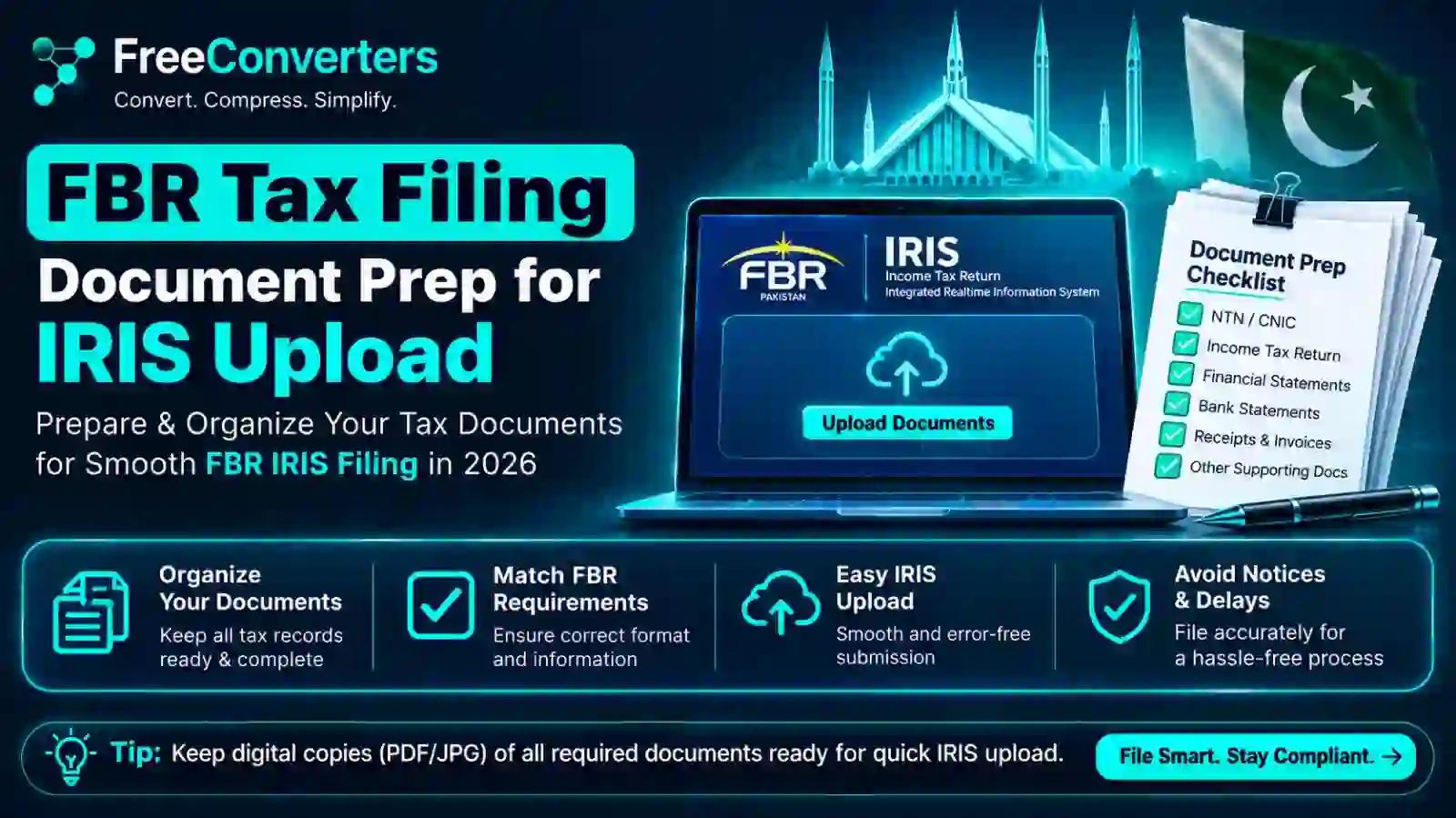
FBR IRIS Documents Required for Tax Filing: 2026 Guide
The IRIS portal at iris.fbr.gov.pk accepts scanned documents almost exclusively in PDF format, and while FBR doesn't publish one universal size limit across every upload field, practical experience shows most attachments need to stay well under 2–3MB to upload reliably. If you've ever sat there watching an upload spinner freeze halfway through, you already know why document prep matters more than most people expect before they even open IRIS.
This guide walks through exactly what documents you need depending on your filer type, how to get them into the right format before you start your session, and how to fix the upload errors that trip up thousands of Pakistani taxpayers every filing season.
Why Document Prep Matters More Than People Think
IRIS 2.0, the current version of FBR's Integrated Revenue Information System, times out after roughly 15 minutes of inactivity. That detail alone changes how you should approach filing. If you're scrambling to find, scan, and format a bank certificate mid-session while the clock runs down, you risk losing everything you've already entered.
The smarter approach — the one accountants and experienced filers actually use — is preparing every document as a properly formatted PDF before logging in. That means having your CNIC copy, salary certificate, bank statements, and any registration documents ready to attach the moment IRIS asks for them, rather than hunting through your phone gallery under time pressure.
What Documents Does FBR Actually Require?
The exact list depends on whether you're registering for the first time, filing an annual return, or updating an existing profile. Here's the practical breakdown by filer type.
For First-Time NTN Registration (New Taxpayers)
Registering as a new taxpayer through IRIS's e-enrollment process generally requires:
- CNIC copy (front and back, combined into one PDF where possible)
- Certificate proving you maintain a personal bank account in your own name
- A personal email address not shared with anyone else
- A mobile SIM registered against your own CNIC — this is a hard requirement, since FBR links identity verification directly to CNIC-registered SIMs
- Proof of business premises (tenancy agreement or ownership document) if you're registering a business, not just an individual profile
- A recent utility bill for the business premises, generally no older than three months
If any of these digital linkages are broken — say, your registered mobile number changed, or NADRA's records don't match what you're entering — IRIS will block registration until you visit your nearest Regional Tax Office in person with your original CNIC.
For Salaried Individuals Filing an Annual Return
- CNIC copy
- Salary certificate or annual salary summary from your employer, showing gross income and tax deducted at source
- Bank statement covering the tax year, used to reconcile income and support the wealth statement
- Withholding tax certificates for any tax already deducted (on salary, bank profit, or other sources)
- Proof of any other income — rental agreements, dividend certificates, or profit-on-debt certificates if applicable
For Freelancers and Self-Employed Filers
Freelancers generally need a slightly broader document set than salaried employees, since IRIS can't rely on a single employer-issued certificate to verify income:
- CNIC copy
- Bank statements showing incoming payments (Payoneer, Wise, or direct bank transfers from clients)
- Invoices or contracts as supporting evidence for declared income, especially useful if your declared income doesn't neatly match a single salary certificate
- Utility bill for your registered business address, if you're operating as a registered freelance business rather than purely as an individual
For Business Owners and AOPs (Association of Persons)
- CNIC copies of all partners or members
- Partnership deed (for AOPs) or company registration documents (for companies)
- Business bank account certificate
- Utility bill for business premises, again typically within the last three months
- Financial statements or profit-and-loss summary for the tax year
For Property Owners and the Wealth Statement
Anyone filing a wealth statement under Section 116 — which is now handled as a distinct requirement rather than automatically merged with the Section 114(1) income return — should have:
- Property ownership documents (registry, allotment letter, or transfer deed)
- Bank statements reflecting account balances as of the reporting date
- Vehicle registration documents, if declaring vehicles as assets
- Investment certificates (savings certificates, mutual funds, stocks) if applicable
Document Type, Format, and Size at a Glance
Document Type Format Required Practical Size Guidance Who Typically Needs It CNIC copy (front/back) PDF Under 1MB All filers Salary certificate PDF Under 1MB Salaried employees Bank statement PDF 1–2MB (compress if longer) Salaried, freelancers, business owners Utility bill PDF Under 1MB New registrants, business owners Tenancy/ownership proof PDF Under 2MB Business registration Withholding tax certificate PDF Under 1MB Anyone with tax deducted at source Wealth statement supporting docs PDF Under 2MB combined Section 116 filers
Treat these numbers as practical working targets rather than officially published limits, since FBR doesn't publish one consistent figure across every field — the safest habit is compressing every file comfortably below 2MB regardless of what the theoretical cap might be, so you're never gambling on an upload that stalls halfway through.
How to Prepare a PDF for IRIS Upload: Step-by-Step
Whether you're converting a photographed bank statement or a scanned CNIC, the workflow is essentially the same:
- Scan or photograph the document in good lighting, keeping the camera parallel to the page to avoid distortion.
- Crop out anything that isn't the document itself — desk edges, shadows, or stray objects in frame.
- Convert the image to PDF. Our JPG to PDF converter handles this directly in your browser, with no software installation or account required.
- Combine multi-page documents into one file. A CNIC front and back, or a multi-page bank statement, should become a single PDF rather than several separate uploads — our guide to merging multiple images into one PDF covers exactly this workflow.
- Check the file size. If it's sitting above 2MB, run it through our PDF Compressor before attaching it to IRIS.
- Rename the file clearly — CNIC-AhmedRaza.pdf rather than Scan001.pdf — since this makes it far easier to track which document goes where when IRIS has multiple upload fields open at once.
- Save a local copy of every document you've prepared in a single folder before you start your IRIS session, so nothing needs last-minute searching once the 15-minute session clock starts ticking.
Why Your IRIS Upload Keeps Failing (And How to Fix It)
This is genuinely one of the most frustrating parts of the FBR filing process, and it's rarely explained clearly anywhere. Here are the most common causes, in order of how often they actually happen:
The file is too large for the specific field. Different upload fields inside IRIS sometimes behave differently, and a file that uploaded fine in one section can stall in another. If an upload hangs indefinitely or throws a generic error, compress the file further and try again rather than assuming the portal itself is broken.
The file isn't actually a PDF, despite the extension. Some phone scanning apps save files with a .pdf extension while internally still storing them in a format IRIS doesn't fully recognize. Running the file through a proper PDF converter — rather than just renaming an image file — resolves this reliably.
Your session has already timed out. Because IRIS logs out after roughly 15 minutes of inactivity, an upload that seems to fail is sometimes actually a session that silently expired while you were finding the file on your device. If this happens repeatedly, prepare every document in advance so you're only attaching, not searching, during the live session.
Your browser is the wrong one, or outdated. IRIS is generally most stable on an up-to-date Google Chrome browser. Older browser versions or less common browsers occasionally cause upload widgets to behave inconsistently.
Your internet connection drops mid-upload. This sounds obvious, but on mobile data especially, a brief signal drop during a multi-megabyte upload can silently corrupt the attempt without a clear error message. Switching to Wi-Fi for the actual filing session avoids this entirely.
CNIC or name mismatch with NADRA records. This isn't a file-format issue at all, but it's worth mentioning because people sometimes mistake it for one — if your name on IRIS doesn't match NADRA's current record, the system can block your submission regardless of how well-formatted your documents are. This requires an update at NADRA first, not a document fix.
PDF vs. JPG: Which Does IRIS Actually Want?
This question comes up constantly, and the short answer is: PDF, almost always. IRIS is built around PDF as its standard document format for supporting attachments — certificates, statements, and identity documents. Raw JPG images are generally acceptable for photograph-only fields, but for anything resembling an official document (CNIC, bank statement, utility bill), converting to PDF first is the safer default.
If you're unsure which a specific field wants, look at the field's helper text directly above or beside the upload button — IRIS typically specifies the accepted format there, even when the broader guidance documents don't spell it out clearly.
Salaried vs. Freelancer: Where the Document Requirements Actually Diverge
It's worth being specific here because generic advice tends to blur these two filer types together, when in practice their document trails look quite different.
A salaried employee has one dominant income source that's easy to verify — a single salary certificate from one employer, plus a withholding tax certificate showing what was already deducted. The bank statement mostly serves as a secondary reconciliation tool.
A freelancer or self-employed individual doesn't have that single clean certificate. Income often arrives from multiple clients, sometimes through Payoneer, Wise, direct bank transfer, or even cash, and there's no employer automatically deducting and reporting withholding tax. This means the bank statement becomes the primary evidence of income rather than a supporting document, and it's worth organizing transactions clearly — highlighting or annotating which deposits are client payments versus personal transfers — before you even start filing, since FBR's reconciliation checks compare declared income against wealth movement and unexplained gaps get flagged.
NTN Registration Documents: A Closer Look
Because so many first-time filers stumble specifically at the NTN registration stage rather than the annual return itself, it's worth spending a moment on what actually happens here.
When you register through IRIS's e-enrollment system, you're not just filling out a form — you're establishing a digital identity that FBR cross-checks against NADRA and your mobile carrier. The system expects:
- A CNIC that matches your current NADRA record exactly, including spelling
- A mobile SIM registered under your own CNIC (not a family member's number, even if you use that phone)
- A personal email address that isn't shared with another registered taxpayer
If any of these three checks fail, registration stalls regardless of how well-prepared your documents are. This is worth checking before you start uploading anything, since no amount of document formatting fixes a NADRA mismatch or a SIM registered to someone else.
Once registration succeeds, you receive your NTN (which, for individuals, is simply your CNIC number functioning as your registration number) along with a password for future logins.
Compressing Documents Without Losing Legibility
A scanned bank statement covering twelve months can easily balloon past 5MB, especially if it was photographed rather than properly scanned. Since IRIS attachments need to stay small, compression becomes a genuinely necessary step rather than an optional one.
A few practical techniques that preserve legibility while shrinking file size meaningfully:
- Convert to grayscale if the document doesn't require color — most bank statements and certificates read perfectly well in black and white, and grayscale files compress significantly smaller than color scans.
- Lower the resolution to around 150–200 DPI. Document text stays sharp at this resolution for on-screen review, which is all IRIS actually needs; you don't need print-quality 300+ DPI scans for a digital tax filing.
- Compress after combining, not before. If you're merging a multi-page bank statement into one PDF, compress the final merged file rather than compressing each page individually, since repeated compression passes degrade quality faster than one clean pass at the end.
- Use a document-specific compressor rather than a general image tool, since document compressors are tuned to keep text crisp while still reducing overall size — our PDF Compressor is built exactly for this kind of use case.
For more detail on the mechanics of compression without visible quality loss, our dedicated guide on reducing PDF file size for free walks through the technical side in more depth.
A Practical Pre-Filing Checklist
Before you even open iris.fbr.gov.pk, run through this:
- Gather every physical document you'll need — CNIC, salary certificate, bank statements, utility bills, and any ownership documents.
- Scan or photograph each one in good lighting, keeping pages straight and fully within frame.
- Convert each to PDF individually using a JPG to PDF converter.
- Combine any multi-page documents into single PDFs.
- Compress anything over roughly 2MB.
- Rename every file descriptively so you're not guessing which document is which mid-session.
- Save everything in one folder on the device you'll actually use for filing.
- Confirm your registered mobile number and email are current and accessible, in case IRIS sends an OTP during the session.
- Use an updated Chrome browser and a stable Wi-Fi connection rather than mobile data.
- Start the session only once every document above is ready to attach immediately — this alone avoids the vast majority of session timeout problems.
Frequently Asked Questions
What documents are required for FBR tax filing? Requirements vary by filer type, but generally include a CNIC copy, salary certificate or income evidence, bank statements, withholding tax certificates, and — for property owners or higher-income filers — supporting documents for the Section 116 wealth statement.
What is the maximum file size for IRIS document uploads? FBR doesn't publish one uniform limit across every upload field, but based on practical filing experience, keeping each PDF attachment under roughly 2MB is the safest way to avoid upload failures.
Can I upload a JPG instead of a PDF on the IRIS portal? For most supporting documents — CNIC, certificates, statements — PDF is the expected format; JPG is generally only appropriate for dedicated photograph fields, so converting scanned documents to PDF first is the safer default.
How do I combine multiple documents into one PDF for FBR? Use a merge tool that lets you upload several images or pages together and arrange them in order before generating a single combined PDF, which is far more reliable than uploading multiple separate files to one field.
What happens if my IRIS upload keeps failing? Most repeated upload failures trace back to file size, an incorrect file format, an expired session, or a browser issue — compressing the file, confirming it's a genuine PDF, and using an updated Chrome browser on a stable connection resolves the majority of cases.
Do freelancers need different documents than salaried employees for FBR filing? Yes — freelancers typically rely more heavily on bank statements and client invoices as primary income evidence, since they don't have a single employer-issued salary certificate that salaried employees can submit instead.
How do I check if my FBR documents were submitted correctly? After successful submission, IRIS generates an acknowledgement with a reference number; saving this PDF confirmation is the clearest way to verify your documents and return were accepted rather than lost mid-session.
What is the difference between the 114(1) return and the 116 wealth statement? Section 114(1) is the annual income tax return itself, covering income, deductions, and tax paid, while Section 116 is the wealth statement, which reconciles your declared assets and liabilities against your income — both are now handled as distinct filings within IRIS rather than being automatically merged.
The Bottom Line
Filing through FBR's IRIS portal isn't difficult once your documents are actually ready — the real friction almost always comes from scrambling to format files during a live session that's already counting down to timeout. Preparing every document as a clean, correctly sized PDF beforehand turns a stressful, error-prone process into something closer to a five-minute data entry task.
Before your next filing session, run your CNIC, salary certificate, and bank statements through our JPG to PDF converter, merge any multi-page documents with our image-to-PDF merge tool, and compress anything oversized with our PDF Compressor — all free, browser-based, and ready before you ever log in to iris.fbr.gov.pk.