Visa Exchange Rate: How It Works & How to Get the Best Rate (2026)
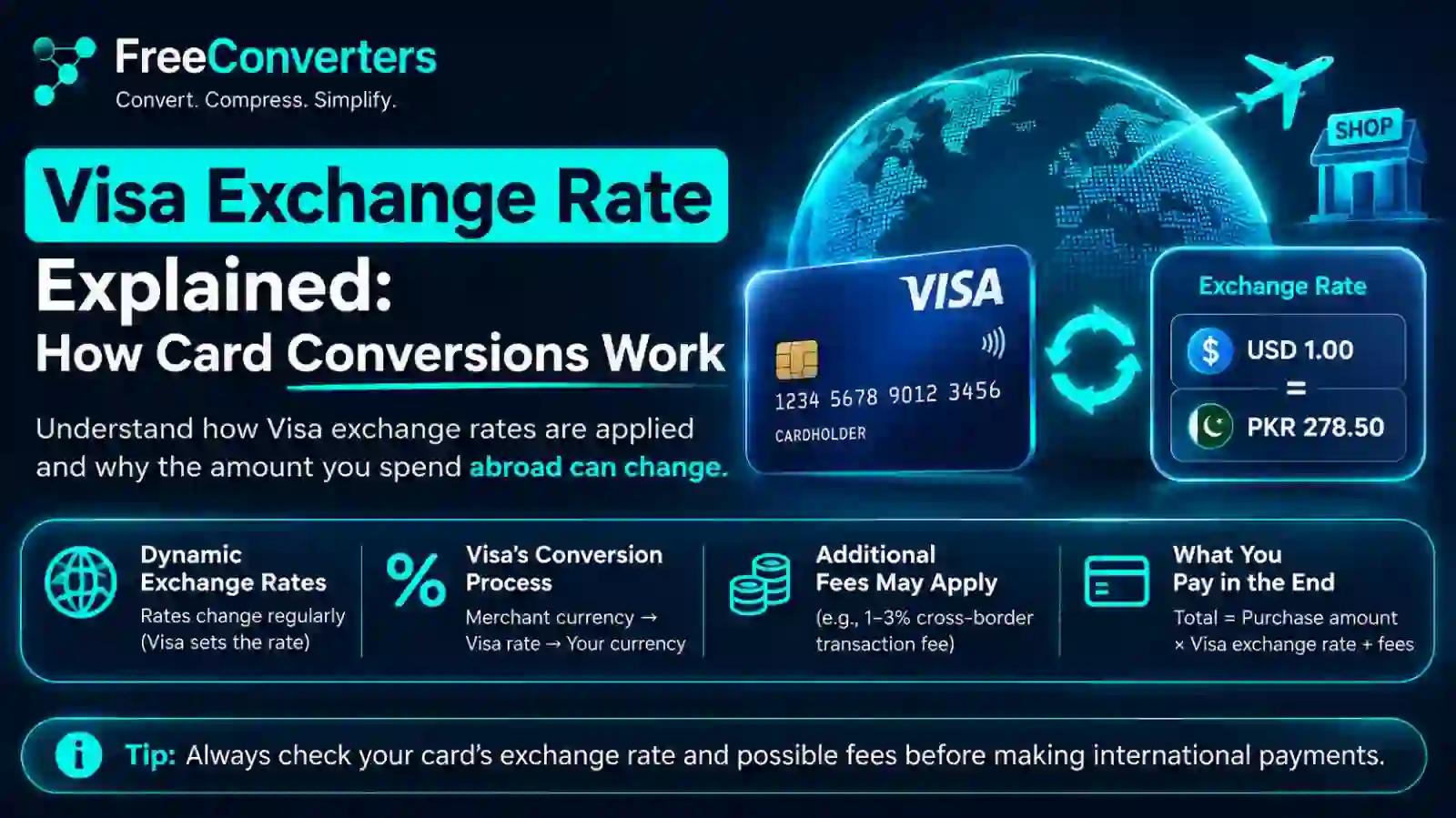
Visa doesn't use the exact rate you see on Google when you swipe your card abroad. It sets its own daily rate from wholesale currency markets, applies it on the date your transaction actually processes (not the date you bought something), and passes that converted amount to your card issuer — who then adds their own fee on top. That combination is why your statement almost never matches the number you looked up before your trip.
If you've ever compared your Visa statement to a currency converter and found the numbers slightly off, you're not imagining things, and you're not being overcharged by some hidden trick. You're just running into a gap most people never get a clear explanation for: the difference between the rate a currency actually trades at, the rate Visa applies to your purchase, and the rate your bank charges you after Visa is done with its part. Each of those is a separate number, set by a separate party, and they rarely line up.
This guide breaks down exactly how Visa currency conversion works, why the timing of your purchase matters more than most travelers realize, and what you can actually do to pay less when you're spending in a foreign currency — whether that's a hotel booking in euros, a taxi ride in Dubai, or an online order from a UK retailer. If you just want a fast, no-markup reference point while you read, our own currency converter tool is a good tab to keep open alongside this guide.
What Is the Visa Exchange Rate, Exactly?
The Visa exchange rate is the conversion rate Visa applies when you make a purchase or withdraw cash in a currency different from your card's billing currency. It's not pulled live off the forex market at the exact second you pay. Visa sources its rates from wholesale foreign exchange markets and publishes updated rates daily for each currency pair.
Here's the part that trips people up: the rate isn't applied on your purchase date. It's applied on the date the transaction is actually processed and settled through Visa's network — which is often a day or two later. A weekend purchase, a merchant who batches transactions before submitting them, or a slow point-of-sale terminal can all push your processing date out further than you'd expect, and the rate can shift in that window.
This isn't a Visa quirk exclusive to consumers, either — it's written directly into the cardholder agreements banks issue. The standard language describes the exchange rate as one Visa selects from a range of rates available in wholesale currency markets for the applicable central processing date, which may differ from the rate Visa itself receives or from the government-mandated rate.
How Visa Actually Calculates Its Exchange Rate
Visa doesn't invent a number out of thin air. Here's the mechanism, step by step:
- Visa pulls wholesale rates from major currency markets and financial institutions — the same tier of the market where large banks and institutions trade currency, not the retail rate you'd get at an airport kiosk.
- Visa applies its own calculation across those wholesale inputs to arrive at a single base rate for each currency pair.
- That base rate is published daily and used for every transaction in that currency pair processed on that date — there's no personalized pricing based on who you are, what card tier you hold, or where you're spending.
- The rate is applied at authorization or processing, not at the moment you physically tap or swipe your card.
One thing worth correcting here, because a lot of articles get it wrong: Visa itself does not charge a "foreign transaction fee." Visa's role stops at currency conversion — it converts the amount and passes it to your card issuer. Any foreign transaction fee, non-sterling fee, or currency markup you see on your statement is added afterward, by your bank, not by Visa. Developers and finance teams who want the technical detail can see how this is structured directly through Visa's own Foreign Exchange Rates documentation, which explains how the daily rate is generated and compared against benchmark rates like the European Central Bank's.
Visa Rate vs. Bank Rate vs. Mid-Market Rate: What's the Real Difference?
This is where most confusion happens, so let's separate the three numbers clearly.
Rate Type Set By What It Reflects Where You'll See It Mid-market rate The open forex market The midpoint between buy and sell prices, with zero markup Google, XE, Oanda Visa exchange rate Visa Wholesale market rates, close to mid-market but not identical Visa's official calculator, your statement (before bank fees) Bank/issuer rate Your card-issuing bank Visa's rate plus the bank's own foreign transaction fee (commonly 0%–3%) Your final card statement
Visa's rate is usually much closer to the true mid-market rate than what you'd get exchanging cash at a currency counter or hotel front desk. The gap that actually costs you money almost always comes from your bank's added fee, not from Visa's conversion itself. If you want to see how this compares across a wider range of currencies before you travel, our guide on currency values walks through how exchange rates move and what actually drives day-to-day fluctuations.
Worked Example: A €100 Purchase
Let's say you're on a trip in Spain and you spend €100 on a Visa card billed in US dollars.
- Mid-market rate (hypothetical): 1 EUR = 1.0850 USD → €100 = $108.50
- Visa's published rate for that processing date: 1 EUR = 1.0870 USD → €100 = $108.70 (a small, normal spread above mid-market)
- Your bank adds a 3% foreign transaction fee: $108.70 × 1.03 = $111.96 on your final statement
That $3.46 difference between the mid-market number you'd see online and what actually lands on your statement isn't Visa's doing — it's almost entirely your bank's markup. This is exactly why two people using different banks, but both paying with a Visa card at the same merchant on the same day, can see two different final charges.
Why Your Statement Rate Doesn't Match What You Checked Online
A few specific reasons explain the mismatch travelers run into constantly:
- Processing date vs. purchase date. Visa applies the rate on the date the transaction is processed by its network, not the day you paid. A Friday night purchase might not process until Monday, and the rate moves with the market over that weekend.
- Wholesale vs. retail sourcing. The number you Google is typically a mid-market or retail-indicative rate. Visa's rate comes from wholesale markets — close, but not identical, by design.
- Bank markup stacked on top. Even if Visa's rate matched what you expected perfectly, your bank's foreign transaction fee (often 1%–3%) changes the final number you actually pay.
- Dynamic Currency Conversion (DCC) at the point of sale. If a merchant or ATM abroad asks "would you like to pay in your home currency instead?" and you say yes, you're opting into DCC — a conversion done by the merchant's bank, not Visa, almost always at a worse rate than letting Visa handle it.
Dynamic Currency Conversion: The Trap Worth Knowing About
This deserves its own section because it's the single most common way travelers lose money without realizing it.
When you're paying abroad and a card terminal or ATM offers to show your total in your home currency instead of the local one, that's DCC. It sounds convenient — "see the price in dollars, no surprises" — but the exchange rate used for that on-the-spot conversion is set by the merchant's acquiring bank, not by Visa, and it typically includes a much larger markup than Visa's own wholesale-based rate.
The practical rule: always choose to pay in the local currency, not your home currency, when a terminal or ATM gives you the option. Letting Visa (or Mastercard) handle the conversion through the network almost always results in a better rate than accepting DCC at checkout.
Visa vs. Mastercard Exchange Rates: Is There a Real Difference?
Both networks operate on essentially the same principle — daily rates sourced from wholesale currency markets, applied at processing rather than purchase time. In practice, the difference between Visa's and Mastercard's rates for the same currency pair on the same day is usually small, often a fraction of a percent.
The bigger factor in what you actually pay isn't which network's logo is on your card — it's which bank issued it, and whether that bank charges a foreign transaction fee. A no-foreign-fee Visa card from one bank will almost always beat a Mastercard from a bank that charges 3% on international purchases, and vice versa.
How to Check Visa's Exchange Rate Before You Travel
Visa publishes an official Exchange Rate Calculator that gives you an indication of the rate you're likely to receive on a given currency pair. It's the most reliable source for this specific question — more accurate than a general currency conversion tool, because it reflects Visa's actual published rate rather than a generic mid-market figure.
Steps to use it effectively:
- Enter the currency you'll be spending in and your card's billing currency.
- Enter the transaction amount.
- Check the date field — Visa's calculator lets you view rates for recent dates, which is useful for understanding how much the rate has moved.
- Remember this still won't be your exact final charge, since it doesn't include your bank's added fee.
If you want a quick way to sanity-check conversions for budgeting a trip — say, estimating hotel costs in a foreign currency or comparing prices across countries — our currency converter tool gives you a fast mid-market reference point to work from before you ever swipe your card. For a broader walkthrough of how conversion tools like this actually work day to day, our currency converter guide covers the basics in more depth.
How to Avoid Overpaying on Foreign Currency Purchases
A few habits make a real, measurable difference to your total cost:
- Use a card with no foreign transaction fee. This is the single biggest lever you control. Since Visa itself doesn't charge this fee, choosing an issuer that also doesn't charge one means you're paying close to Visa's actual wholesale-based rate.
- Always decline Dynamic Currency Conversion. Pay in the local currency every time a terminal or ATM gives you the choice.
- Time large purchases with rate movement in mind. If you're making a big purchase and have flexibility, checking Visa's calculator across a few days can show you whether the rate is trending in your favor.
- Compare before you commit to a card for travel. If you're a freelancer or small business regularly billing or paying in multiple currencies, it's worth reading our breakdown of currency converter tools for small business, which covers how to manage multi-currency exposure beyond just card purchases.
- Know your corridor. If you're regularly sending or spending money between specific countries — for example, Pakistani workers managing pay in the UAE — our guide on PKR to AED for Pakistani workers in the UAE walks through exactly how that specific conversion and fee structure plays out.
Frequently Asked Questions
How does Visa's exchange rate work? Visa sets a daily exchange rate for each currency pair based on wholesale foreign exchange market data, then applies that rate when your transaction is processed — not when you make the purchase. Your bank then adds its own fee on top before the charge appears on your statement.
Does Visa or my bank set the currency conversion rate? Visa sets the base conversion rate for the currency pair. Your bank is responsible for any additional foreign transaction fee added after Visa's conversion — Visa does not charge that fee itself.
Is Visa's exchange rate the same as the mid-market rate? No, but it's usually close. Visa's rate is based on wholesale market pricing, which sits near the mid-market rate you'd see on Google or XE, but it's not identical since it reflects Visa's own daily calculation rather than a live market feed.
Why is my card statement rate different from today's exchange rate? Because Visa applies the rate on the date your transaction processes through its network, which can be a day or more after your actual purchase date, and exchange rates shift daily.
Does Visa charge a fee on top of the exchange rate? No. Visa converts the currency and passes the amount to your card issuer. Any foreign transaction fee, non-sterling fee, or markup on your statement comes from your bank, not from Visa.
Should I pay in local currency or let my card convert it? Always choose to pay in the local currency. If a terminal offers to convert to your home currency (Dynamic Currency Conversion), decline it — that conversion is done by the merchant's bank and typically carries a worse rate than letting Visa's network handle it.
Do all banks use the same Visa exchange rate? Yes, for the same currency pair on the same processing date, Visa applies one rate uniformly across all cards. What differs between banks is the fee they add on top of that shared rate.
Key Takeaway
The confusion around Visa's exchange rate almost always comes down to three separate numbers getting treated as one: the mid-market rate you see online, Visa's own wholesale-based daily rate, and your bank's added fee. Visa's part of that chain is genuinely close to fair market pricing — the real cost usually comes from your bank's markup and, even more so, from accepting Dynamic Currency Conversion at checkout.
Before your next trip or online purchase in a foreign currency, check Visa's official calculator for a realistic rate estimate, confirm whether your card charges a foreign transaction fee, and always pay in local currency when given the choice. If you want a quick way to double-check conversions on the go, our currency converter is free to use and gives you a clean mid-market baseline anytime you need one.